> For the complete documentation index, see [llms.txt](https://docs.compliancebot.io/llms.txt). Markdown versions of documentation pages are available by appending `.md` to page URLs; this page is available as [Markdown](https://docs.compliancebot.io/policy-management/policy-management-workflow/manage-documents.md).
# Manage Documents
Once editors complete editing, ComplianceBot notifies the Compliance Manager via email thereby prompting the initiation of the approved workflow.
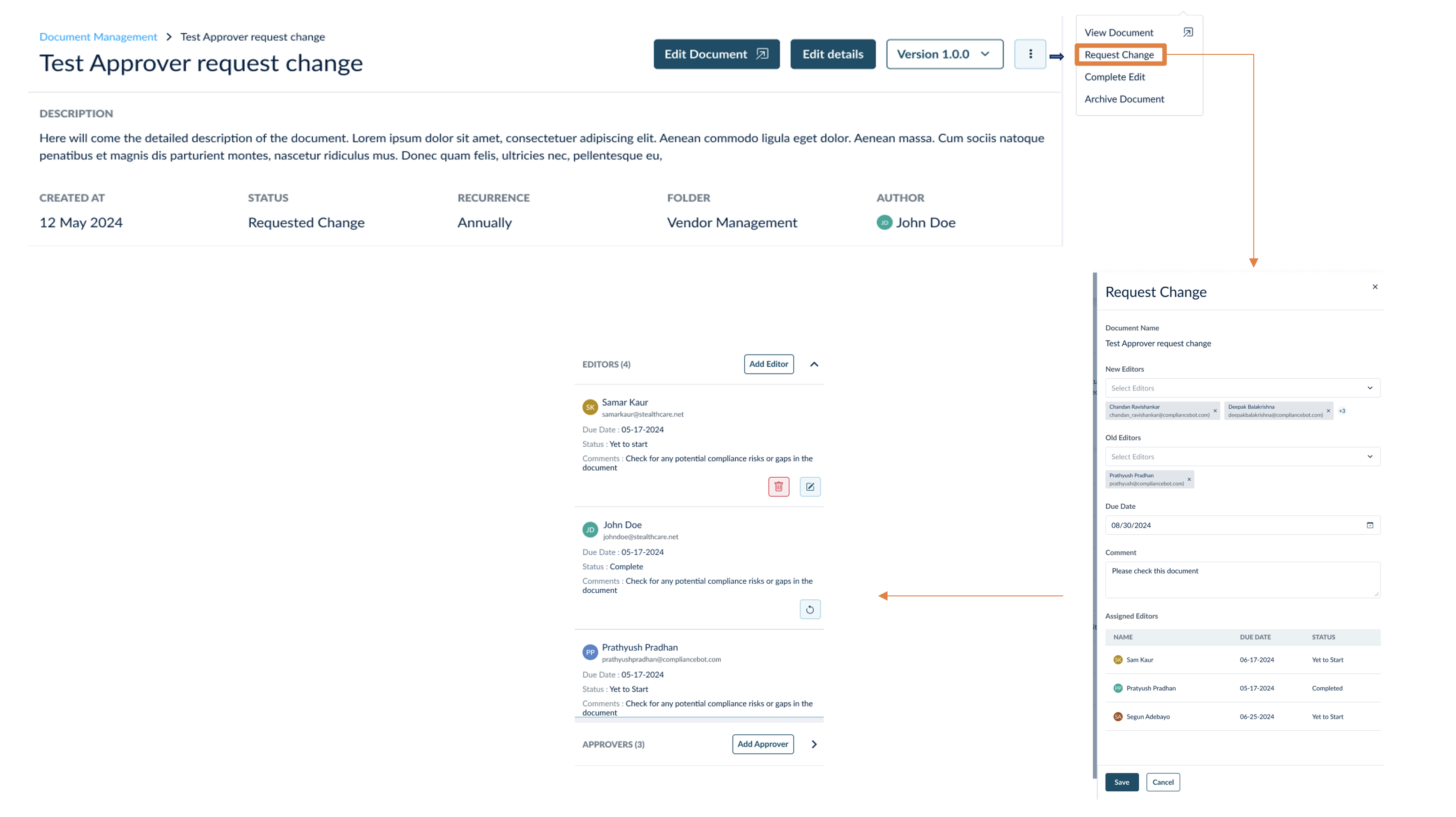
The Compliance Manager reviews the document's edits and proposes changes or additions using ComplianceBot's **Request Change** functionality.